
Are you a growing business owner finding that basic accounting software just isn't cutting it anymore? QuickBooks Desktop is the trusted backbone for countless companies, but its real power lies in the advanced features often overlooked. Moving beyond simple transaction recording can be the key to significant efficiency gains, better inventory control, and flawless payroll management.
This guide dives into the top advanced tools within QuickBooks Desktop that will help you streamline operations, manage complex inventory, and ensure your payroll and benefits are handled with precision. Get ready to transform your accounting process from a task into a strategic asset.
💰 Flawless Payroll & Employee Management: Mastering Your Workforce
Managing employee compensation is one of the most critical and detail-oriented tasks a business faces. QuickBooks Desktop provides deep tools to handle this complexity with ease, ensuring compliance and accuracy.
The Power of the Payroll Item List (and Beyond)
Forget manual calculations. The Payroll Item List lets you meticulously define every type of payment, deduction, and company contribution. You can clearly see and manage items like:
- Hourly and Salary Wages: Define standard and overtime rates.
- Bonuses and Commissions: Track variable compensation.
- Deductions: Such as medical insurance premiums, garnishments, or advances.
- Company Contributions: Including employer-paid contributions to retirement funds or health savings accounts.
This list is the engine that drives accurate paychecks and tax calculations, making sure every penny is accounted for and categorized correctly, reflecting a transparent and compliant payroll system.
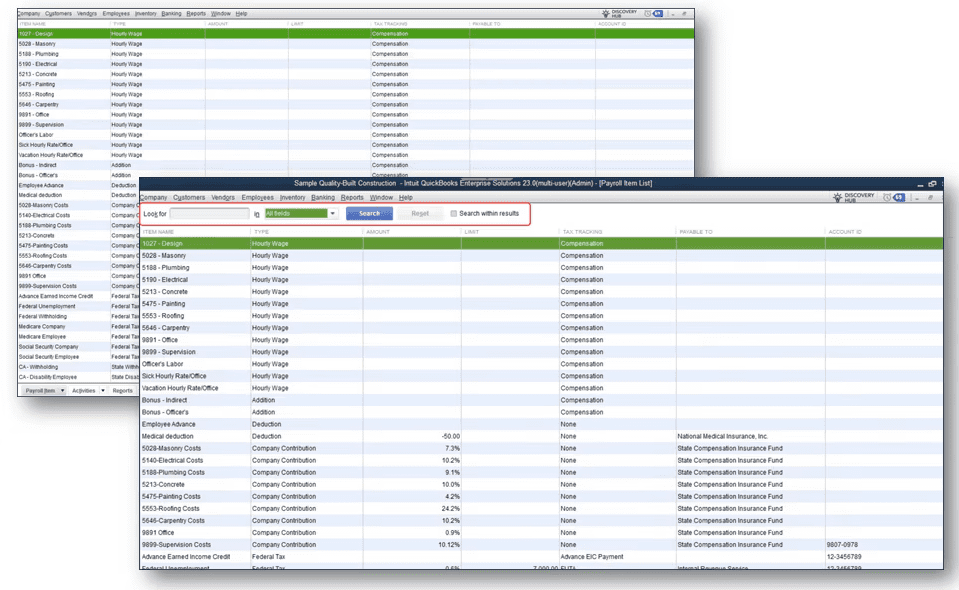
Effectively manage all payroll components with the detailed Payroll Item List in QuickBooks Desktop.
Integrated Employee Management and 401(k) for Enhanced Payroll Subscribers
For businesses looking to offer comprehensive benefits, QuickBooks simplifies the process significantly. The **Employee Center** is your central hub for all employee-related data, allowing you to manage profiles, contact information, and employment details efficiently.
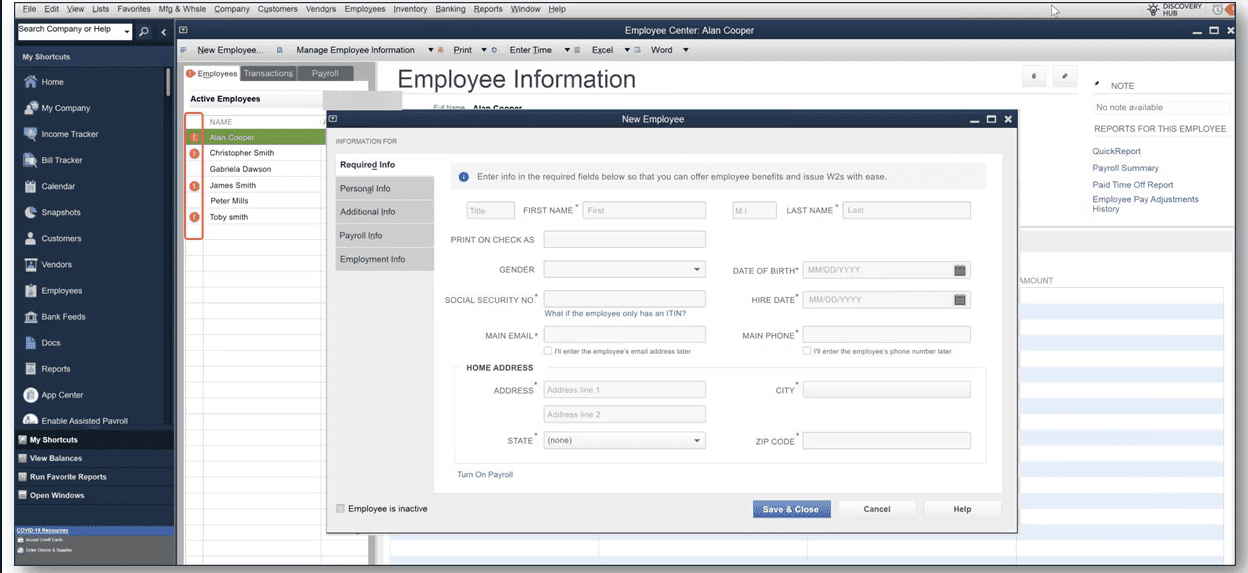
The Employee Center provides an organized list and quick access to all employee profiles.
After a payroll run is successful, QuickBooks actively prompts you to complete employee profiles. This is crucial to ensure you can:
- Generate W-2 and other tax forms quickly and accurately.
- Invite employees to view their hours and pay stubs digitally.
- Offer and seamlessly manage employment benefits like insurance and integrated 401(k) plans, especially for Enhanced Payroll subscribers.
Keeping employee information complete and up-to-date in QuickBooks is vital for compliance, benefits administration, and fostering a professional work environment.
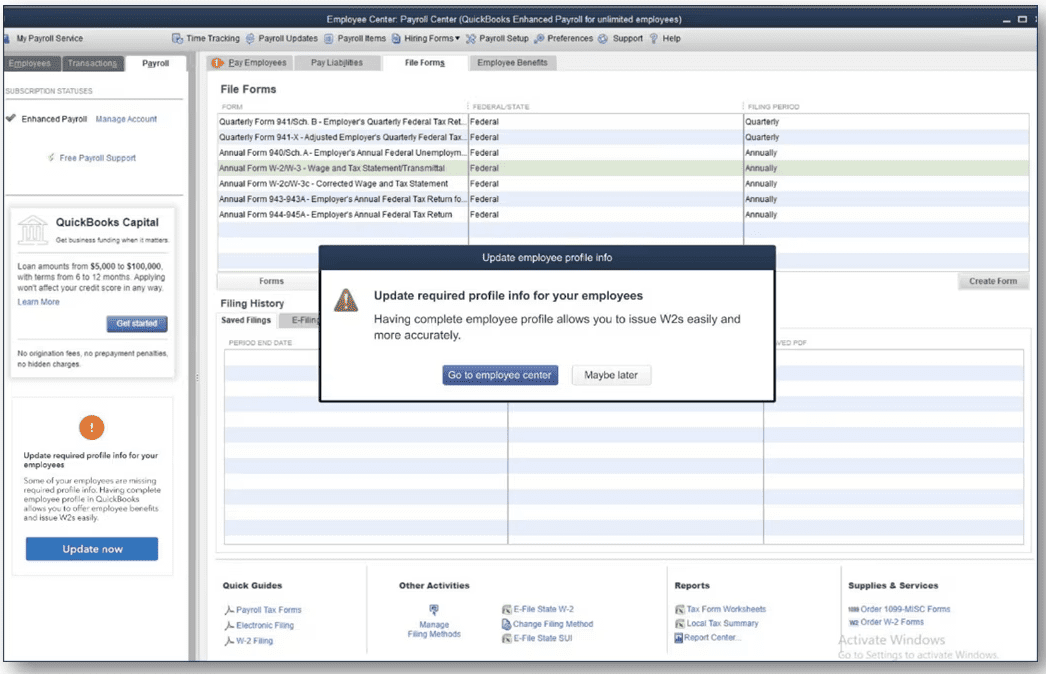
A successful payroll run prompts you to complete employee profiles for full benefits and tax form generation.
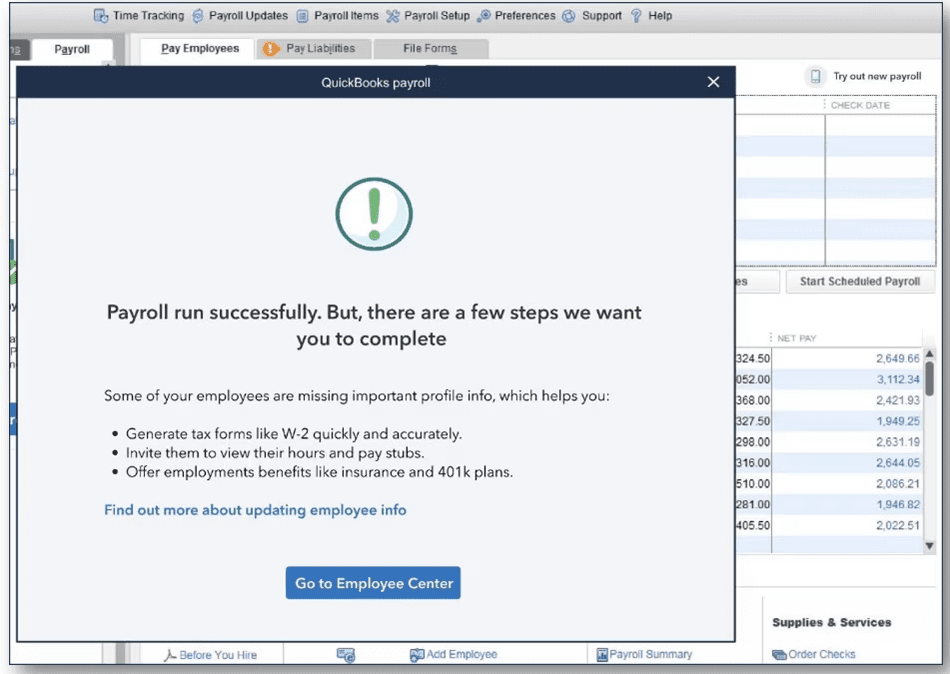
Ensure accurate W2s and benefits by updating employee profile info when prompted.
📦 Precision Inventory Management: Categories and Lot Tracking
For product-based businesses, inventory management is where profit is made or lost. QuickBooks Desktop offers robust tools to categorize and track stock with incredible detail, transforming chaotic warehouses into organized assets.
Organizing with Item Categorization for Multiple Item Types
As your product line expands, organizing your inventory becomes essential. The Item Categorization feature allows you to group various item types (such as Inventory Parts, Assemblies, Service Items, Non-Inventory Parts, and more) into logical categories (e.g., "Large Shapes," "Delta," "Runner"). This intelligent grouping enables:
- Easier Searching and Filtering: Quickly find specific products or groups of items.
- Better Reporting: Generate insightful reports based on specific categories, not just individual items, providing a clearer view of performance.
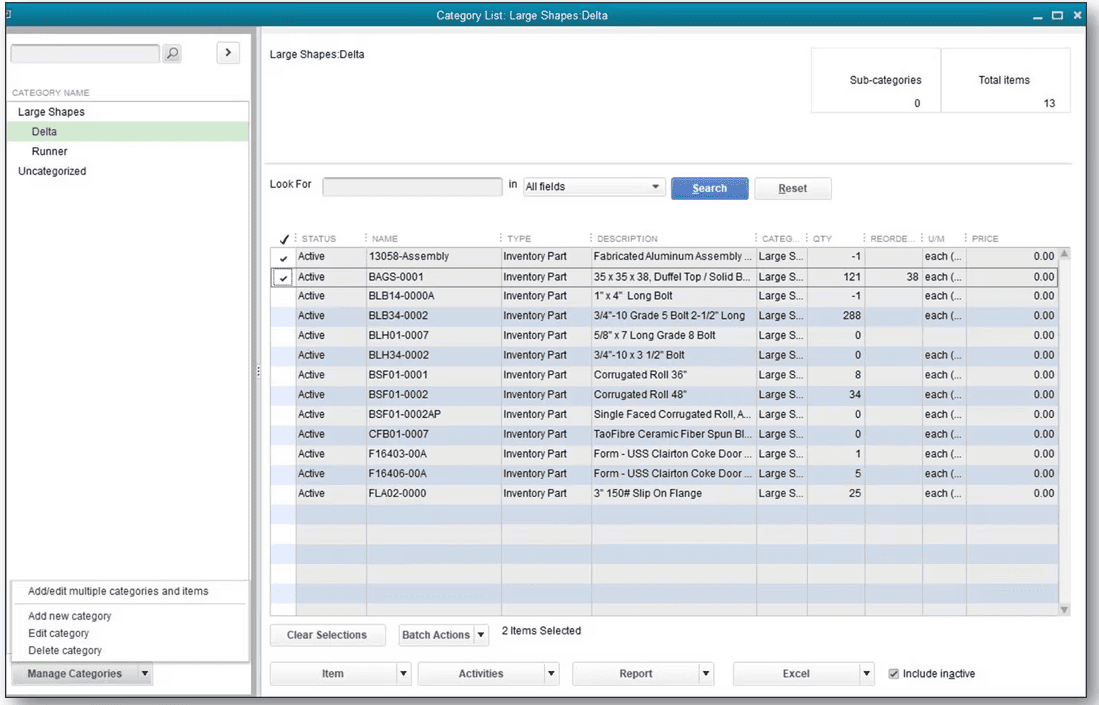
Streamline your inventory with custom categories for various item types.
Advanced Inventory Lot Tracking Report for Quality Control
For industries dealing with perishable goods, regulated products, or serial-numbered items, **Inventory Lot Tracking** is a game-changer. This powerful report allows you to monitor stock status meticulously by **Lot Number**, tracking key data points such as **expiration dates**. This level of detail is vital for:
- Product Recalls: Quickly identify and locate affected stock with precision.
- Managing Shelf Life: Ensure older stock is sold or used before it expires, minimizing waste.
- Compliance: Meet industry-specific tracking and reporting requirements.
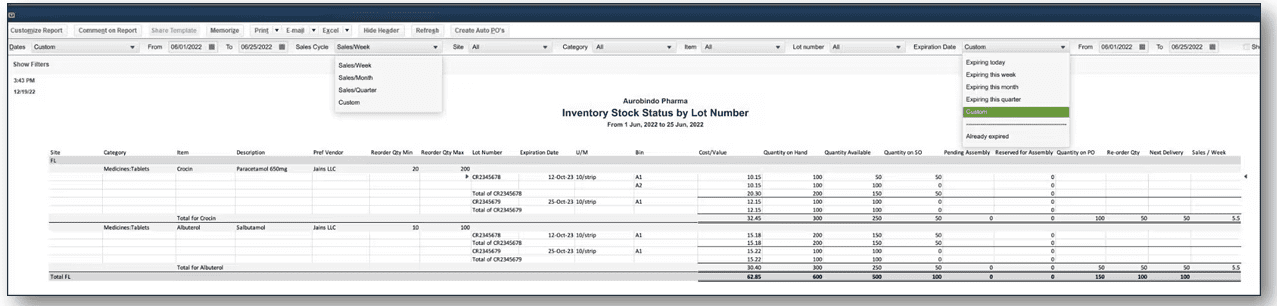
Detailed lot tracking allows for precise inventory control, crucial for managing expiration dates and recalls.
💸 Streamlining Sales: Handling Prepayments on Sales Orders
For businesses that require a deposit or prepayment upfront—such as custom work, large orders, or services—QuickBooks Desktop simplifies this process directly on the **Sales Order** form. This feature is invaluable for improving cash flow and providing transparent billing to your customers.
You can accurately record **Payments/Credits** received against an order before it becomes a final invoice. This immediately reflects the **Balance Due** on the order, providing clarity for both your sales team and your customer. No more manual tracking of deposits outside your system – it’s all integrated, ensuring accuracy and efficiency from order to delivery.
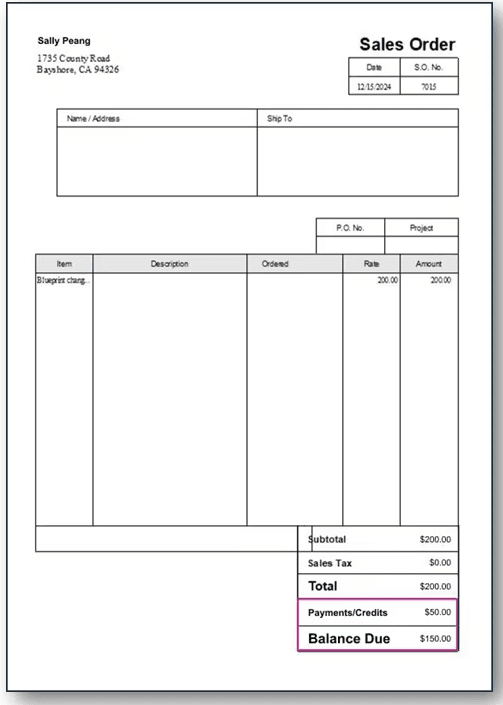
Easily manage prepayments and track the balance due directly on sales orders.
Conclusion: Propel Your Business Forward with QuickBooks Desktop
By utilizing advanced features like the detailed Payroll Item List, integrated employee benefits management, powerful inventory categorization, precise Lot Tracking, and efficient handling of Sales Order prepayments, you can elevate your use of QuickBooks Desktop far beyond basic accounting. These tools provide a robust platform for better control, enhanced efficiency, improved decision-making, and ultimately, sustainable business growth.
Ready to unlock the full potential of your QuickBooks Desktop? Explore these features and transform your operational workflow today!